You can cancel your auto-renewal anytime by following these steps:
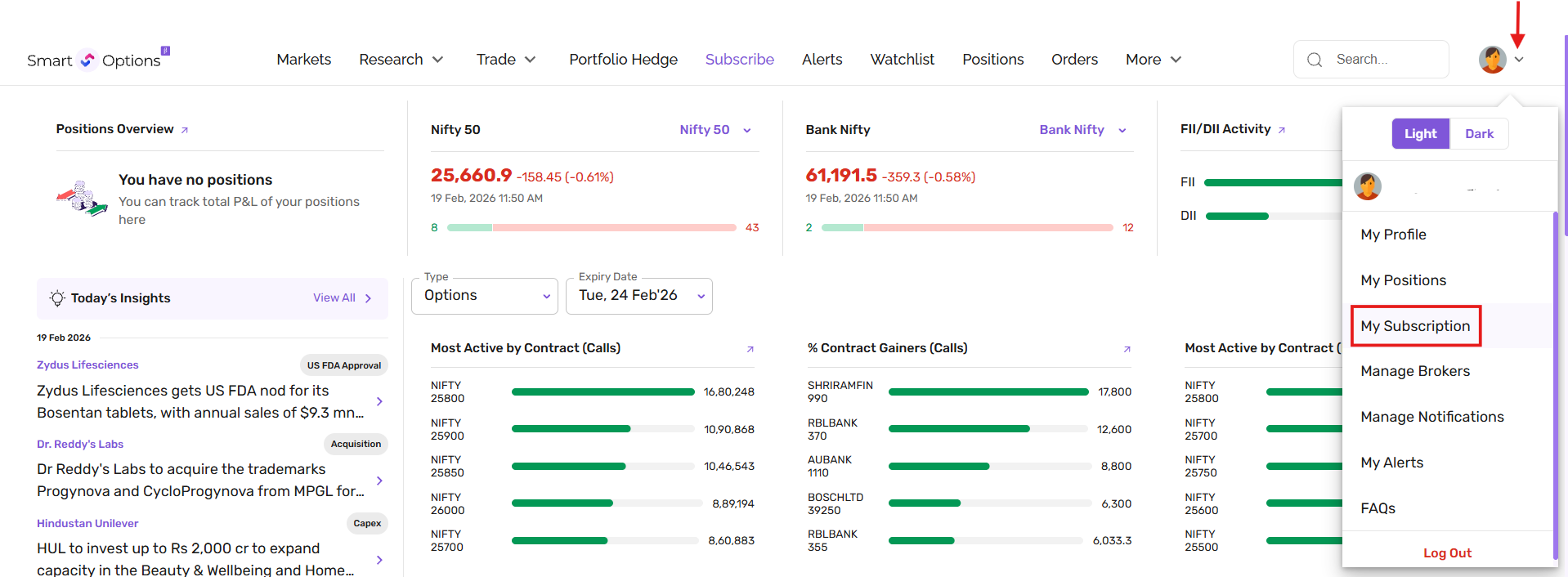
1. Go to the My Subscriptions page from the profile icon dropdown on the SmartOptions website.
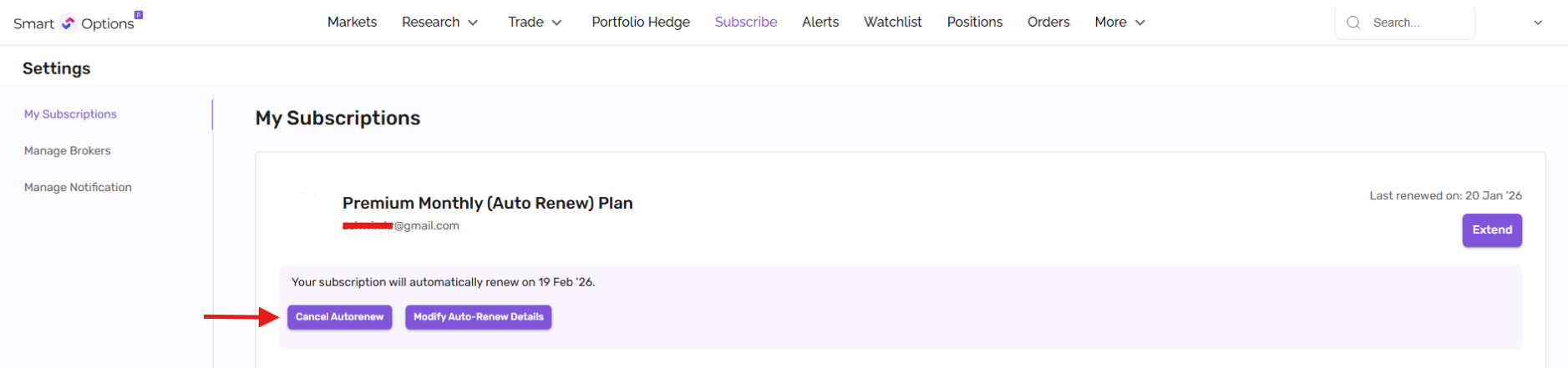
2. Click on "Cancel Auto-Renew".
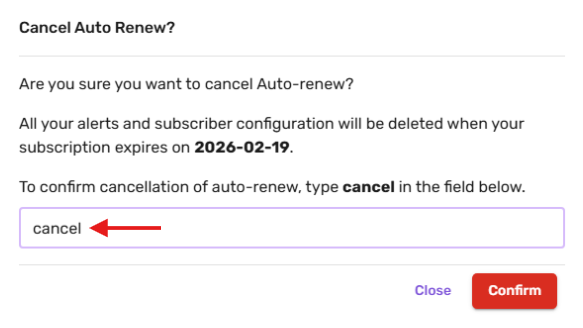
3. In the confirmation pop-up, type "cancel" in lowercase in the designated field and click "Confirm" to finalize the cancellation.
Once completed, your auto-renewal subscription will be successfully cancelled.
You will continue to have access to your plan until the current subscription period ends.